By Lenny Rowell, GMB Marketing Solutions · Last reviewed: November 2026
Your Google Business Profile categories tell Google what your business is, and they’re the biggest ranking lever you fully control. In Whitespark’s 2026 survey of 47 local SEO experts, the primary category ranked as the number one factor out of 187. Here’s how I pick categories and set up services for clients.
How many categories can you have?
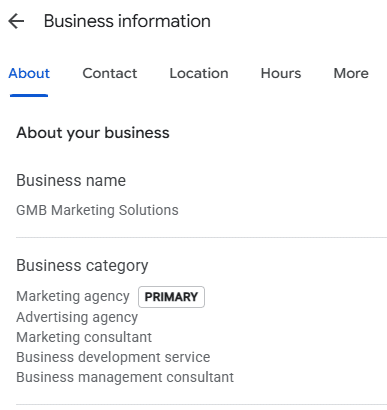
One primary category and up to nine additional categories. The primary is what Google thinks you are; the additional ones tell Google what else you do.
How to choose your primary category
- Search your main service in your area, the way a customer would.
- Open the top three businesses in the map results and look at the category under each name.
- Pick the category that describes what you are, not everything you do.
The best indicator of what Google wants is what it’s already showing you. You’re not copying anyone; you’re seeing how Google labels businesses like yours.
A real example: an auto glass shop in Texas came to me with a generic glass repair category as its primary. We changed it to “Auto glass shop,” the most specific category that fit, and calls went up about 25% within three to four weeks. Specific beats broad: “Auto glass shop” tells Google exactly what you do, while a generic glass category could mean windows, mirrors or storefronts.
Additional categories: add every one that’s true
Google’s guidelines say to use as few categories as possible to describe your core business. But Sterling Sky tested a landscaper whose profile had just one category. After adding landscape designer, landscape architect and retaining wall supplier, all services it really offered, the business ranked higher for those searches.
My rule: add every category that’s genuinely true for your business, and none that aren’t. If you don’t build retaining walls, that category doesn’t go on. Look at which additional categories top competitors use too, but only add the ones that fit you.
How to set up your services
The services section is where you tell Google, “this is what I do.”
- Start with Google’s suggestions. Google suggests services based on your categories. Use those names as your base.
- Add custom services with the plus button when Google’s list doesn’t have one you offer.
- Only list what you actually do, and lead with the services that make you the most money and that you’re sharp at.
- Don’t list the same service five ways. One clear name per service.
- Keep the city out of service titles. Mention where you work in the description instead, so customers in neighboring towns don’t think you skip them.
- End each service description with a call to action: call, book or request a quote.
Mirror it on your website
Your website and your profile should be mirror images. Your homepage should talk about your primary category. Every additional category and main service on your profile should have its own page on your site (very similar services can share one). Then link from your profile to those pages: a product or update post for each core service, pointing to its page.
Why it matters: the website attached to your profile is how Google connects your services to your business, and experts rate on-page signals as one of the biggest pieces of local ranking. And plenty of customers call straight from the profile without visiting the site, so the profile itself has to be complete. (More on how Google ranks Business Profiles.)
Write your business description
You get 750 characters. Say what you do, who you serve and where, in plain language. No links, no keyword lists.

Quick answers
Should I change my primary category often?
No. A category change can trigger a review; change it only when there’s a clear reason, and log the date.
Can I add categories I want to rank for but don’t offer?
No. Only categories that are true for your business.
Do services affect rankings?
There’s no published test proving it. They do help customers and Google understand exactly what you offer, so fill them out completely.
Want me to check your categories against your top competitors? Get a free audit.
Lenny Rowell has spent 10+ years getting local businesses found on Google, both in Maps and in regular search results. He works with small, mid-size and large businesses, and unlike most agencies that only do general SEO, he ranks the Business Profile and the website together. He’ll tell you straight what will and won’t move the needle.